XML Sitemaps Explained: How to Build and Submit One
An XML sitemap is a file that lists the URLs on your site you want search engines to know about, along with optional metadata such as the last modification date. It helps crawlers discover pages, particularly on large sites or sites with weak internal linking. A sitemap is a discovery aid, not a ranking factor, and inclusion does not guarantee indexing.
What is an XML sitemap?
An XML sitemap is a machine-readable list of your site’s important URLs, served from your domain and submitted to search engines. Each entry contains a required <loc> element with the URL, and may include <lastmod> to signal when the page last changed meaningfully.
A sitemap can be useful, but it should agree with your site’s canonical and indexing signals. Keep redirected, noindexed, and duplicate URLs out so the file lists the pages you actually want crawled. For the broader setup, see this technical SEO guide.
Quick facts
| Item | Detail |
|---|---|
| Maximum URLs per file | 50,000 |
| Maximum file size | 50 MB uncompressed |
| Compression | gzip allowed; limits apply to uncompressed size |
| Required tag | <loc> |
| Used by Google | <lastmod>, if consistently accurate |
| Ignored by Google | <priority> and <changefreq> |
| Encoding | UTF-8, entity-escaped, absolute URLs |
| Guarantees indexing? | No |
Why do XML sitemaps matter?
Sitemaps can help search engines discover URLs, especially on larger sites or when internal links are limited. Google describes sitemap submission as a way to help crawlers find URLs; it does not guarantee that they will crawl or index every listed page. See Google’s sitemap guidance for the current requirements.
When a sitemap makes a real difference
- Large sites where crawlers will not reach every page from the homepage in a reasonable number of hops.
- New sites with few external links, where organic discovery is slow. This pairs with the work in getting backlinks for a new website.
- Sites with orphan or poorly linked pages, though the real fix there is better internal linking.
- Rich media and news, where image, video, and news sitemap extensions carry metadata Google cannot easily infer.
When it makes little difference
On a small, well-linked site, a sitemap may add little to URL discovery. It remains useful for communicating preferred URLs and reviewing sitemap-level reports, but it cannot resolve a ranking problem. Treat it as a technical aid, not a content strategy.
Expert tip: The sitemap is also a diagnostic instrument. The gap between submitted URLs and indexed URLs is a useful diagnostic clue, but it does not explain why a URL is excluded. Review the page-level reason and whether each URL belongs in the index.
How does an XML sitemap work?
- You generate the file, usually automatically from your CMS, listing canonical, indexable URLs.
- You declare it in robots.txt and submit it in Search Console.
- Crawlers fetch it and add the URLs to their crawl scheduling queue.
- Crawlers use lastmod to prioritise recrawls, but only if your lastmod values have proven trustworthy over time.
- Indexing is decided separately, on the merits of each page. Listing a URL is a request, not an instruction.
A minimal valid sitemap
<?xml version="1.0" encoding="UTF-8"?>
<urlset xmlns="http://www.sitemaps.org/schemas/sitemap/0.9">
  <url>
    <loc>https://example.com/blog/xml-sitemap-guide/</loc>
    <lastmod>2026-09-03</lastmod>
  </url>
</urlset>
A sitemap index file
Once you exceed 50,000 URLs or 50 MB, split the file and reference the parts from an index:
<?xml version="1.0" encoding="UTF-8"?>
<sitemapindex xmlns="http://www.sitemaps.org/schemas/sitemap/0.9">
  <sitemap>
    <loc>https://example.com/post-sitemap.xml</loc>
    <lastmod>2026-09-03</lastmod>
  </sitemap>
  <sitemap>
    <loc>https://example.com/page-sitemap.xml</loc>
  </sitemap>
</sitemapindex>
Splitting by content type, as WordPress SEO plugins do by default, is also useful well below the limits, because Search Console reports indexing statistics per submitted sitemap. Separate files mean separate diagnostics.
Types of sitemaps
| Type | What it lists | When to use |
|---|---|---|
| XML sitemap | Page URLs | Default for every site |
| Sitemap index | Other sitemap files | Any site over 50,000 URLs, or for cleaner reporting |
| Image sitemap | Image URLs tied to pages | Image-led sites where images drive traffic |
| Video sitemap | Video metadata: title, duration, thumbnail | Hosted video you want in video results |
| News sitemap | Articles from the last 48 hours | Google News publishers only |
| RSS or Atom feed | Recent items | Can help discovery where a search engine supports feed submission |
| Plain text sitemap | One URL per line | Simple bulk submissions |
| HTML sitemap | Human-readable page list | Usability and internal linking, not a substitute for XML |
How to create and submit an XML sitemap
Step 1: Generate the file
On WordPress, Rank Math and Yoast both generate a sitemap index automatically, typically at /sitemap_index.xml. WordPress core also produces one at /wp-sitemap.xml when no plugin overrides it. Do not run both; pick one source of truth and disable the other so you are not publishing two conflicting lists.
Step 2: Include only canonical, indexable URLs
This is the step that separates a useful sitemap from a harmful one. Every URL in the file should return HTTP 200, be the preferred canonical URL, and be eligible for indexing. Exclude:
- Redirected URLs, whether 301 or 302
- 404 and 410 URLs
- Pages carrying noindex
- URLs that canonicalise to a different URL
- Paths blocked in robots.txt
- Tag, author, and date archives, unless they carry genuine standalone value
- Paginated pages that should not be indexed; include later pages when they are distinct canonical pages you want indexed
Step 3: Set lastmod honestly
Google uses lastmod only when it is “consistently and verifiably accurate.” A CMS that changes every lastmod date after a template update may weaken the usefulness of that signal. Update it for meaningful content changes, not for a whitespace edit.
Step 4: Declare it in robots.txt
Sitemap: https://yourdomain.com/sitemap_index.xmlUse the absolute URL. Multiple Sitemap lines are permitted.
Step 5: Submit in Search Console
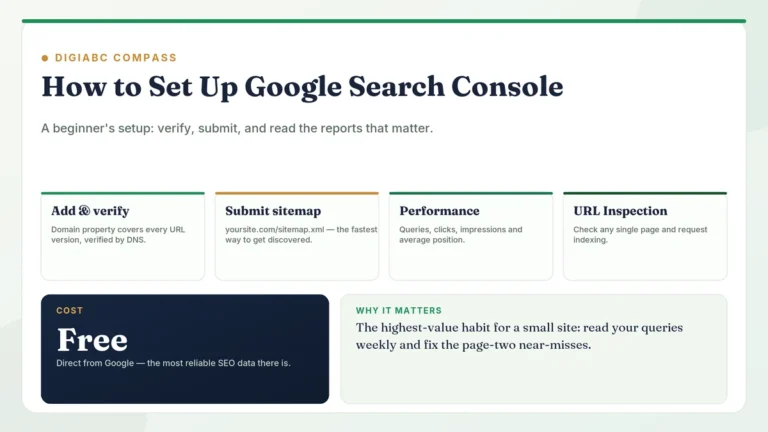
Open the Sitemaps report in Google Search Console, enter the sitemap path, and submit. Return in a few days to check the read status and the discovered URL count. You can also submit the sitemap in Bing Webmaster Tools to review Bing’s sitemap and indexing reports.
Step 6: Monitor the indexed ratio
In the Pages report, filter by sitemap and compare submitted against indexed. There is no universal healthy percentage: compare the submitted URLs with the pages you actually want indexed, then inspect why important URLs are excluded. A low ratio can reflect intentional exclusions as well as content, duplication, or crawling problems.
Best practices
- One canonical version of every URL: pick https, pick www or non-www, and be consistent.
- Absolute URLs only; relative paths are invalid.
- Escape ampersands and other reserved characters as entities.
- Keep the file under 50,000 URLs and 50 MB uncompressed; gzip is fine.
- Regenerate automatically on publish, not manually once a year.
- Split by content type for cleaner Search Console diagnostics.
- Leave out priority and changefreq; Google ignores them and they invite inconsistency.
- Serve the sitemap from the same domain as the URLs it lists.
Common XML sitemap mistakes
| Mistake | Why it hurts | Fix |
|---|---|---|
| Listing noindexed URLs | Contradictory signals; wasted crawls | Exclude anything noindexed |
| Listing redirects and 404s | Signals a stale, untended file | Regenerate from live canonical URLs |
| Blocking the sitemap in robots.txt | Crawlers cannot read it | Allow the sitemap path |
| Two competing sitemaps (core plus plugin) | Conflicting URL sets | Disable one |
| Fake or auto-bumped lastmod | Google stops trusting the field | Update only on real changes |
| Mixed protocol or hostname | Treated as a cross-site sitemap | Match the canonical host exactly |
| Expecting a sitemap to fix rankings | Wrong tool for the problem | Address content and links |
XML sitemap vs HTML sitemap vs robots.txt
| XML sitemap | HTML sitemap | robots.txt | |
|---|---|---|---|
| Audience | Crawlers | Users and crawlers | Crawlers |
| Function | Suggests URLs to crawl | Navigational page listing | Restricts crawling |
| Passes internal link value | No | Yes | No |
| Affects indexing | Indirectly | Indirectly | No |
| Required | No, but recommended | Optional | Optional |
Decision guide
- Small, well-linked site: one automatically maintained sitemap is usually straightforward to manage.
- Large site or multiple content types: consider a sitemap index and separate files to make maintenance and reporting easier.
- Ecommerce: separate sitemaps for products, categories, and content, so you can see which type is failing to index.
- News publisher: add a news sitemap alongside the standard one.
- Pages indexing slowly: the sitemap is rarely the cause. Check internal linking and content quality first.
Sitemap audit checklist
- Sitemap URL returns HTTP 200 and valid XML
- Declared in robots.txt with an absolute URL
- Submitted and reading successfully in Search Console and Bing Webmaster Tools
- Contains only 200-status, canonical, indexable URLs
- Contains no redirects, 404s, or noindexed pages
- Under 50,000 URLs and 50 MB per file
- lastmod values reflect genuine content changes
- No priority or changefreq tags
- Protocol and hostname match the canonical version of the site
- Only one sitemap system is active
- Submitted-to-indexed ratio reviewed monthly
Frequently asked questions
Does an XML sitemap improve rankings?
No, not directly. It affects discovery and crawl scheduling. Ranking is determined by relevance, quality, and links. A sitemap can help a good page get found faster; it cannot make a weak page rank.
How often should a sitemap update?
Automate updates on publish or meaningful edits where your CMS or SEO plugin supports it; verify the output after configuration changes.
Should tag and category pages be in the sitemap?
Include them only if they are genuinely useful landing pages with unique introductory content. Thin, auto-generated archives usually should be noindexed and therefore excluded.
Can I have more than one sitemap?
Yes. Use a sitemap index to group them, and submit either the index or the individual files in Search Console.
Do I need a sitemap if I have good internal linking?
Not strictly, on a small site. It remains cheap insurance and a useful diagnostic, so there is little reason to skip it.
Why are my sitemap URLs not indexed?
Common causes include a noindex directive, a canonical pointing elsewhere, duplicate or low-value content, or a crawl issue. Check URL Inspection for the specific reason Google reports.
Should the sitemap be gzipped?
Optional. It reduces transfer size, and the 50 MB limit applies to the uncompressed file either way.
Key takeaways
- A sitemap is a discovery aid, not a ranking factor.
- Limits: 50,000 URLs and 50 MB uncompressed per file.
- Google uses lastmod when it is accurate; it ignores priority and changefreq.
- Include only canonical, indexable, 200-status URLs.
- Declare it in robots.txt and submit it in Search Console.
- The submitted-to-indexed gap is a diagnostic clue; review URL-level exclusion reasons rather than treating one ratio as a quality score.
Conclusion
A good sitemap is boring: it lists exactly the URLs you want indexed, nothing else, and it updates itself. Most of the value comes from what you leave out. Clean it once, automate it, then review the exclusion reasons for important URLs in Search Console.
Related articles
- Technical SEO guide
- Robots.txt explained
- Canonical tags and duplicate content
- Noindex vs nofollow vs disallow
- Google Search Console setup

4 Comments